Works with NMI and NMI-powered gateways
See your NMI payments the friendly way.
One clean, colourful dashboard for every payment, refund, customer and deposit. Connect in two minutes, check it from your phone, and stop squinting at gateway reports.
- No card to start
- Set up in 2 minutes
- Works on any device
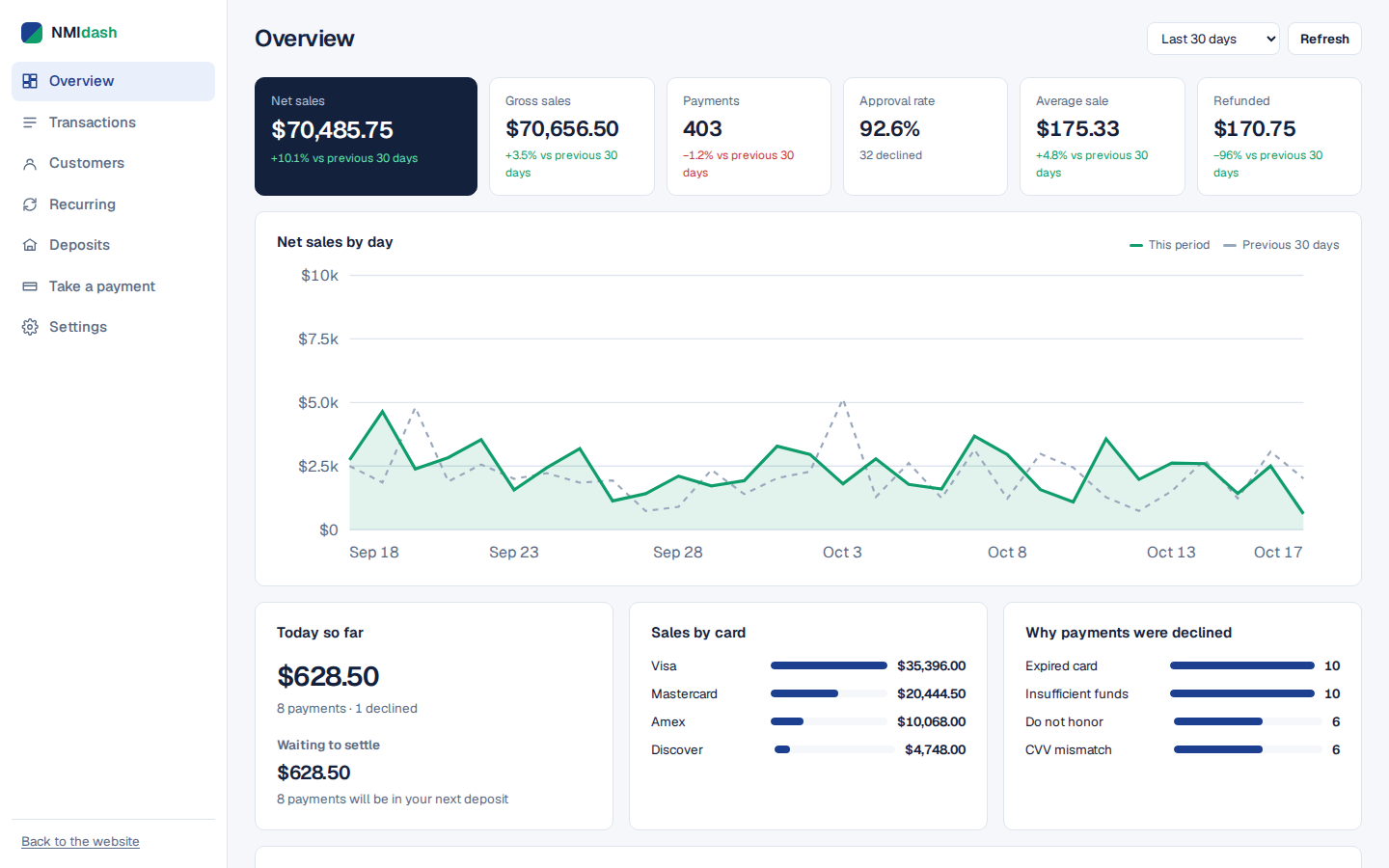
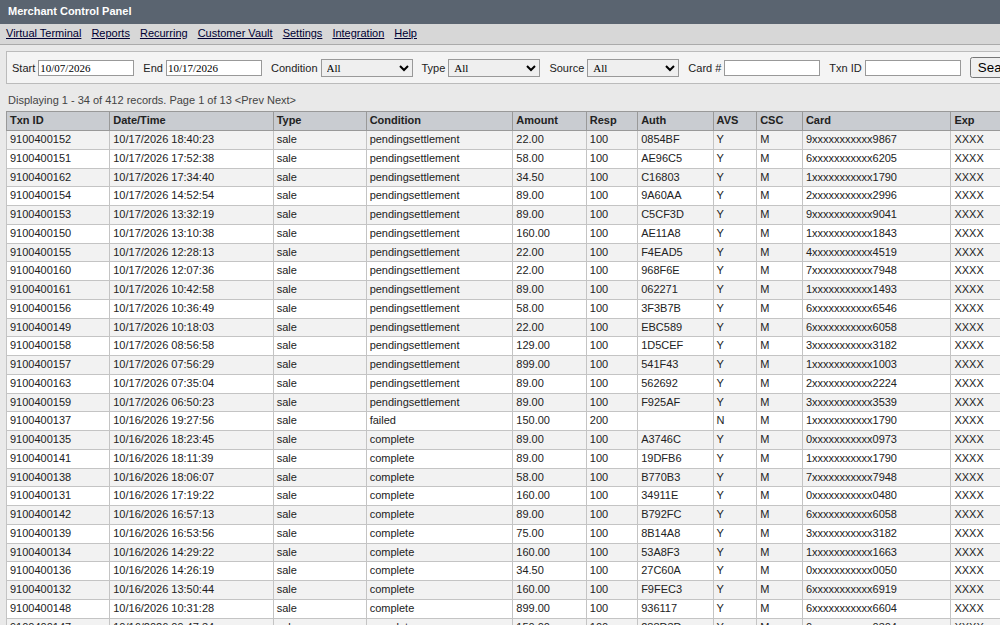
Same payments. Very different day.
Drag the handle. On the left, the kind of report most gateways give you. On the right, the same payments in NMIdash.

Take the tour
Every screen you get with NMIdash, with real-looking sample data from a made-up gym.
Your whole business on one screen
Net sales, approval rate, average sale and refunds for today, this month or this year, each compared with the period before. Spot a slow week before it becomes a slow month.
- Sales by day, with last period as a dotted line
- The top reasons cards were declined
- What is waiting to settle into your next deposit
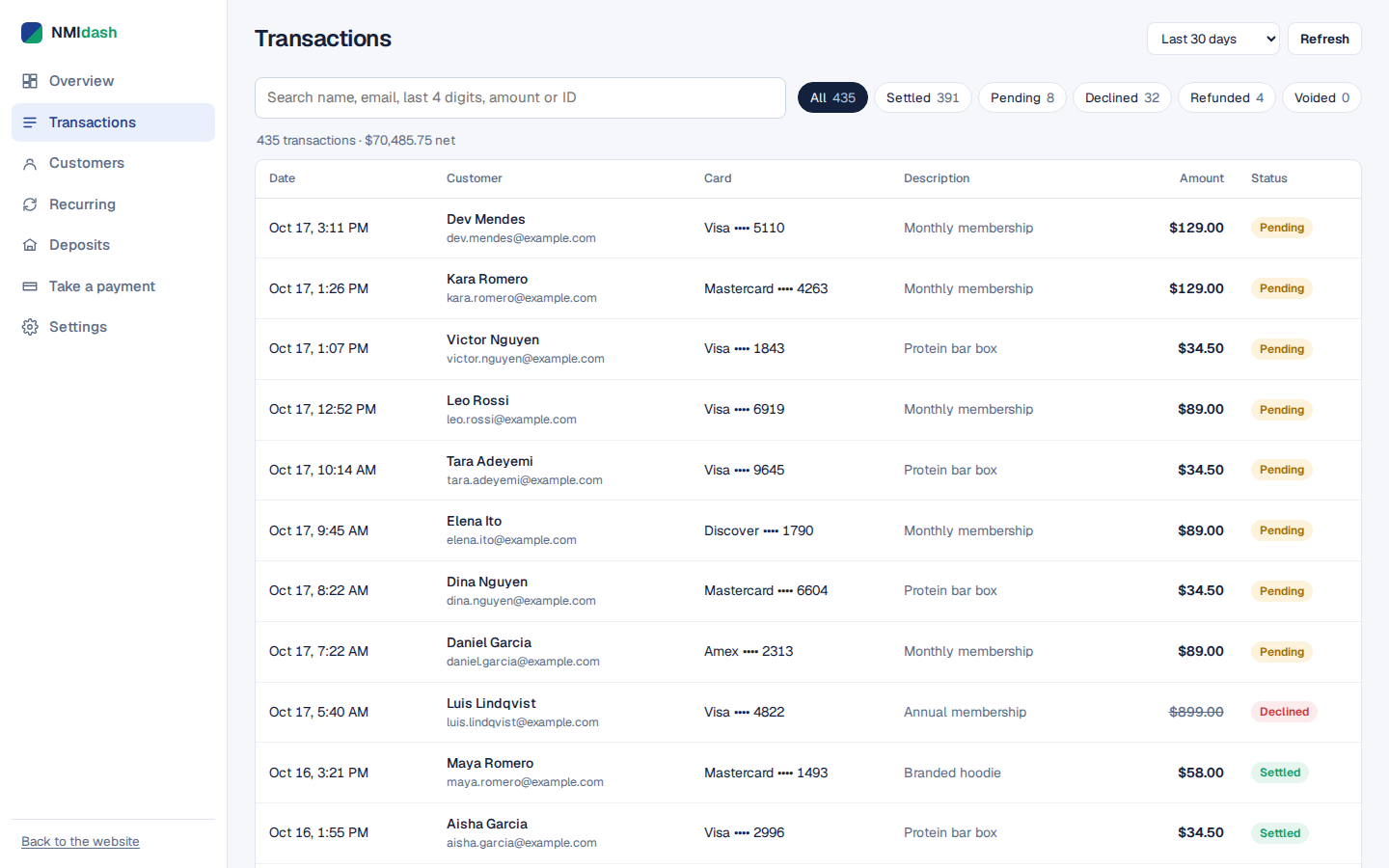
Every payment, finally searchable
Months of history in one fast list. Type a name, the last 4 digits of a card, an amount or an order number and it filters as you type.
- Colour-coded status on every row
- Filter by settled, pending, declined or refunded
- Download any period as a CSV for your bookkeeper
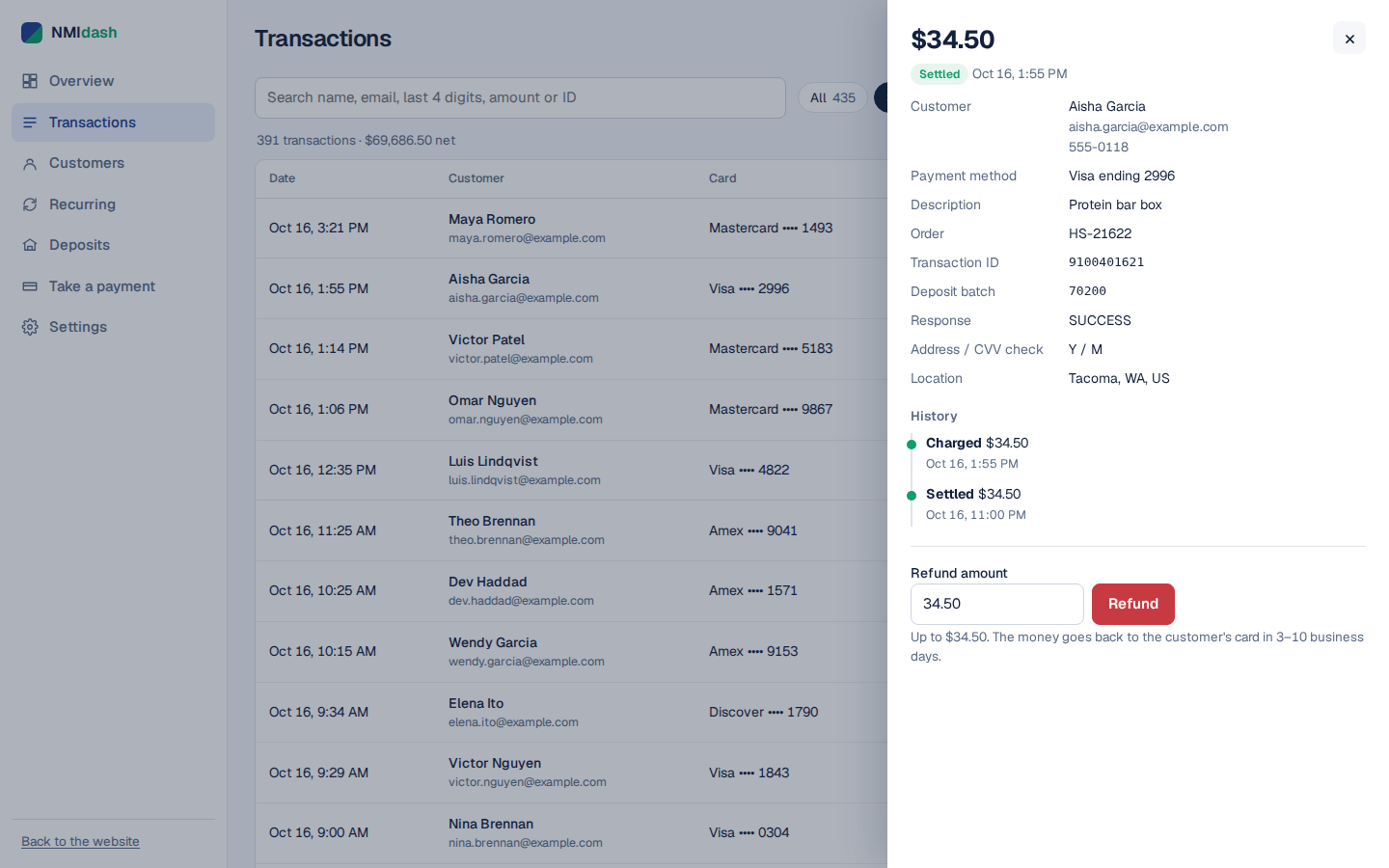
Everything about one payment, and a refund button
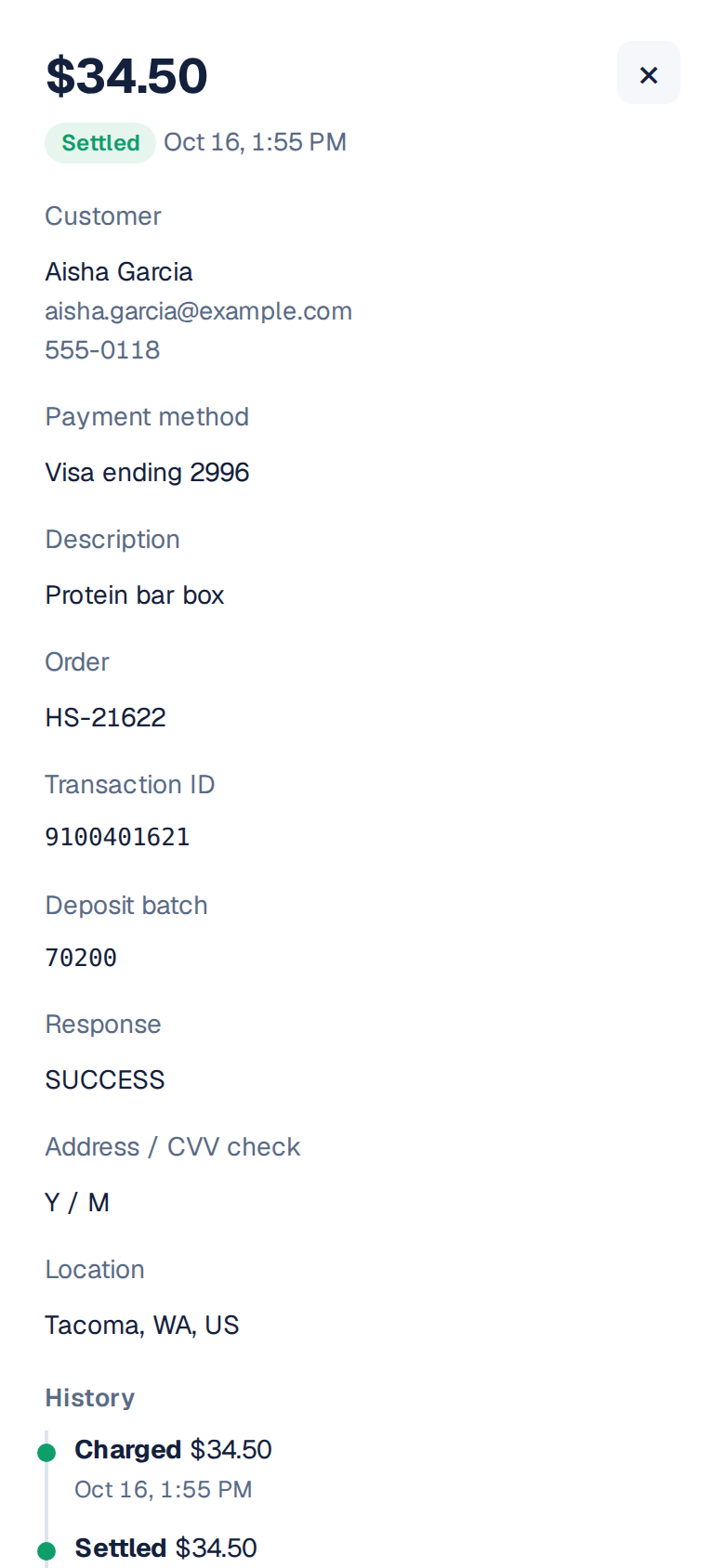
Open any payment to see who paid, with which card, what happened to it and when. Refund all or part of it in one step, or void it before it settles.
- Full history: charged, settled, refunded
- Address and CVV check results
- Partial refunds without a calculator
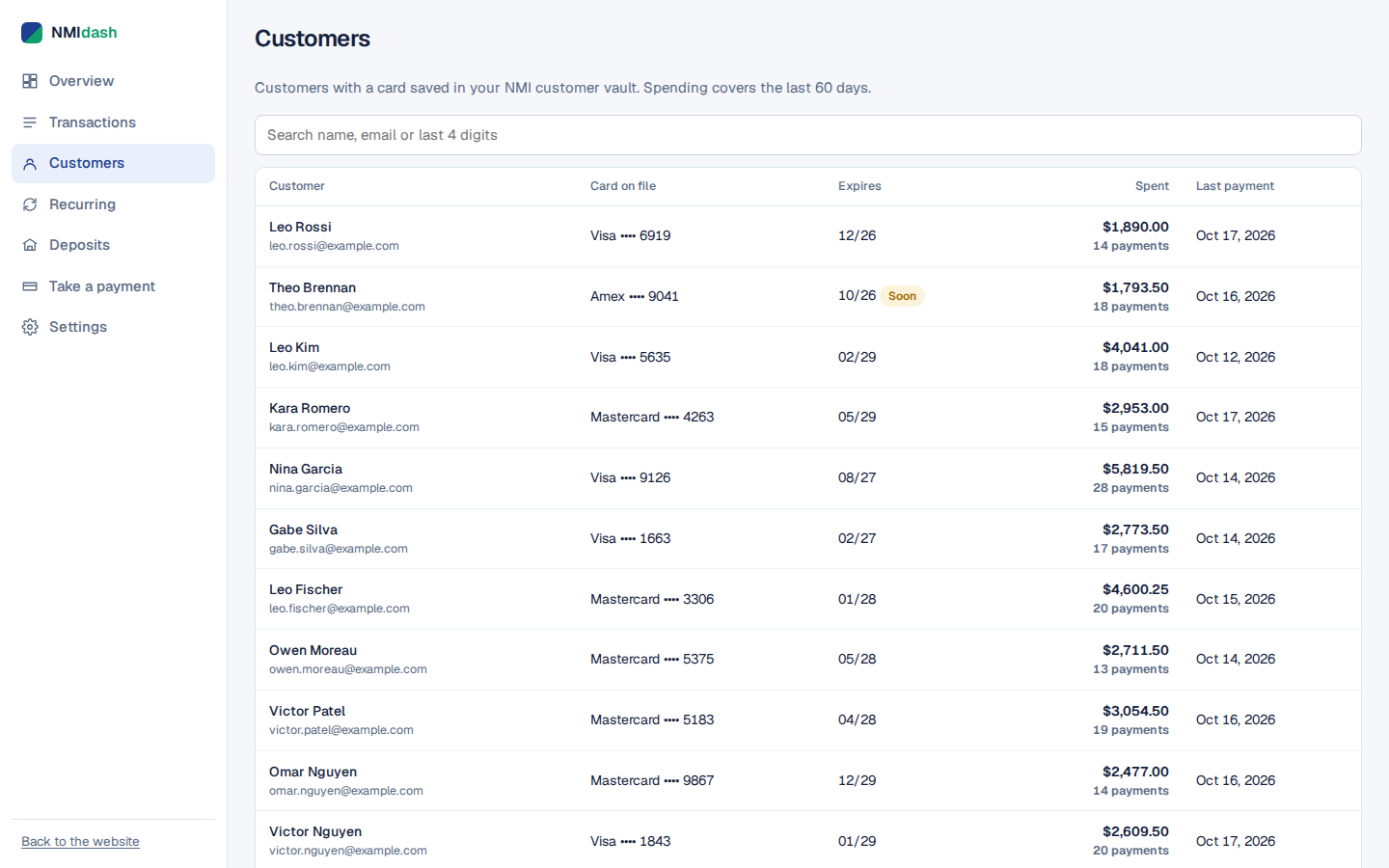
Know your regulars
Everyone with a card saved in your NMI customer vault, how much they have spent with you, and which cards are about to expire.
- Spending and last payment for each customer
- Expiring cards flagged before renewals fail
- All of one customer's payments in one place
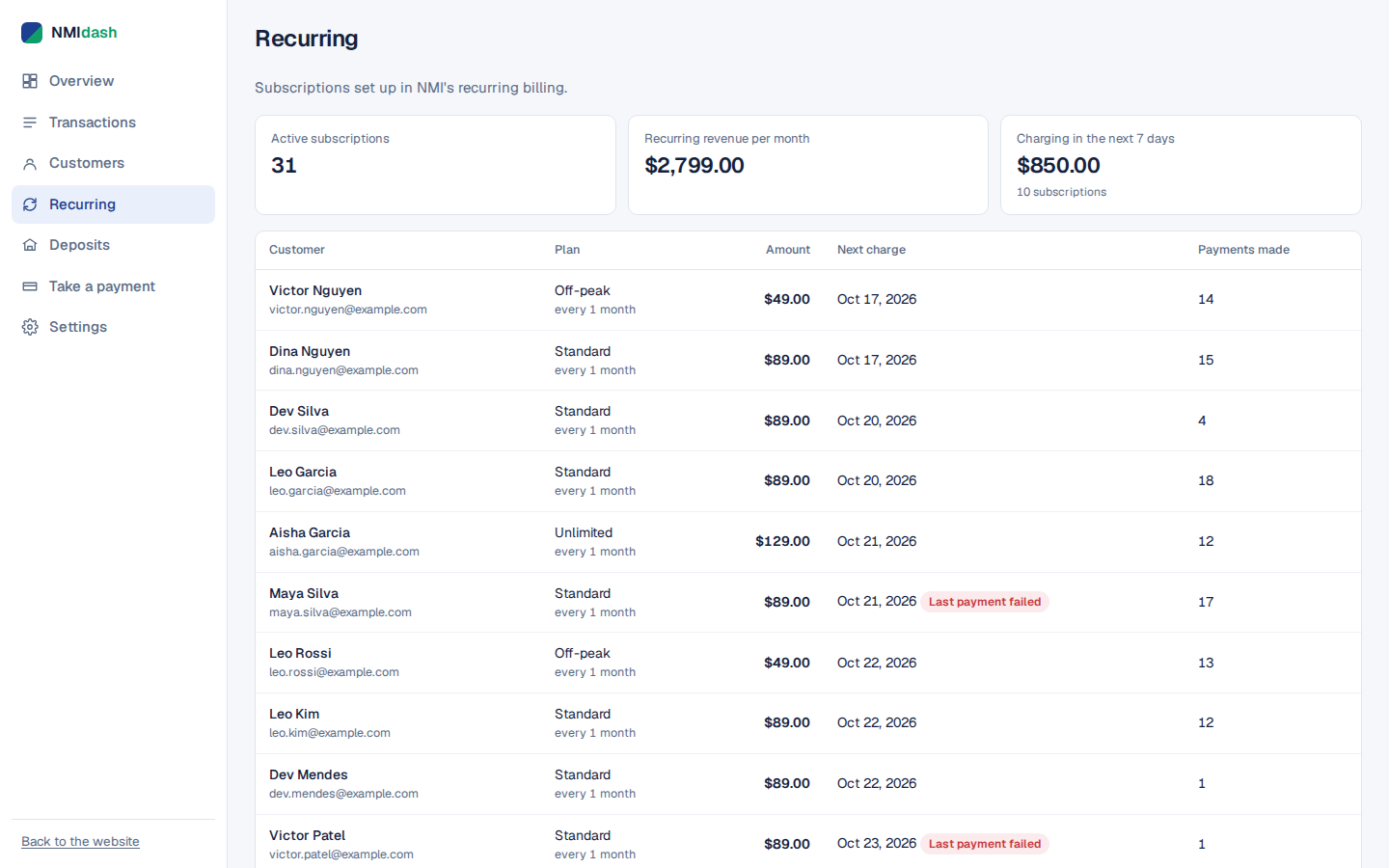
Subscriptions in plain language
Your NMI recurring billing, translated: how much recurring revenue you bring in each month, what charges this week and which payments failed.
- Monthly recurring revenue at a glance
- Next charge date for every subscription
- Failed payments flagged so you can follow up
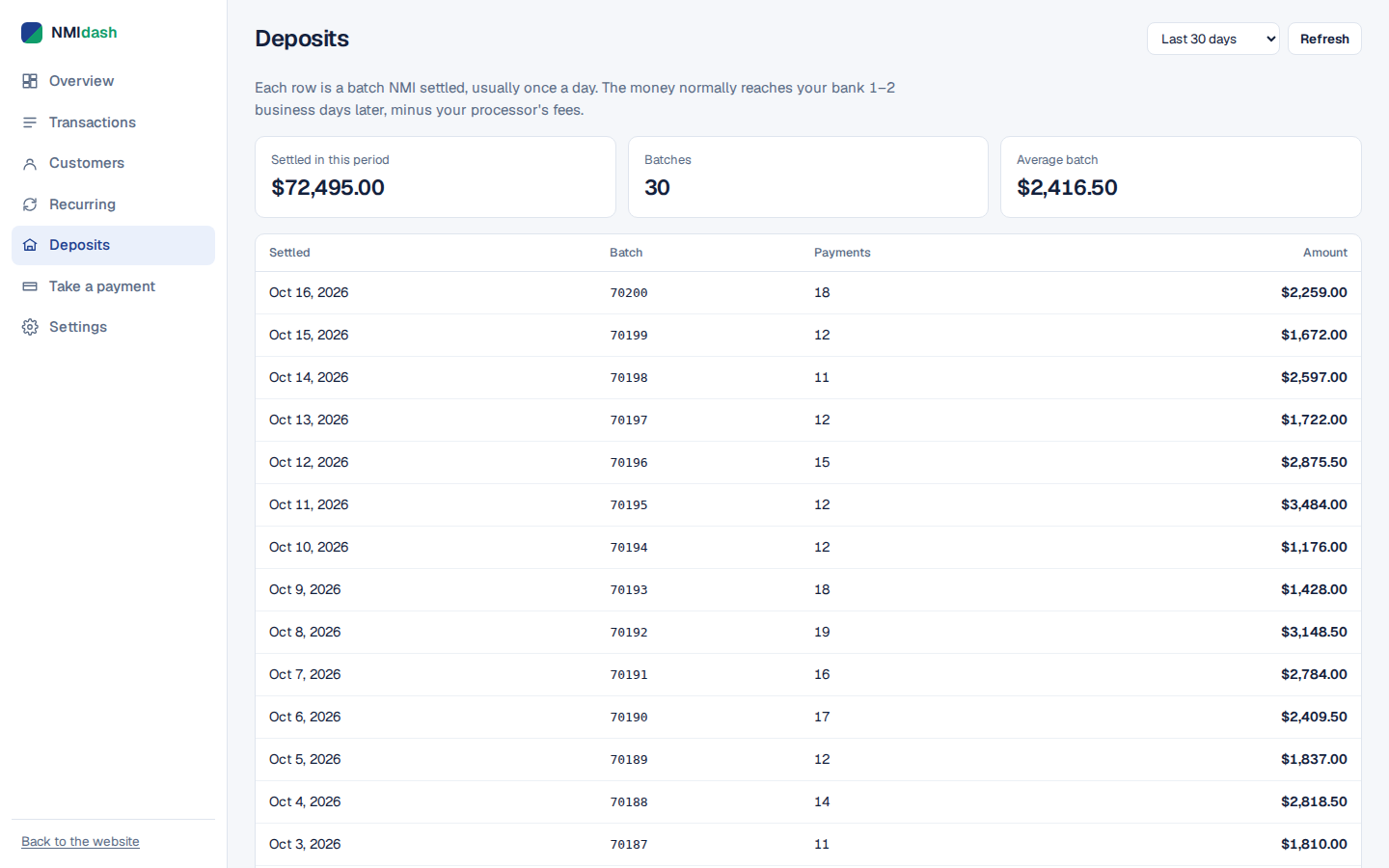
Match deposits to your bank in seconds
Every settled batch with its date, number of payments and total. Click one to see exactly which payments it contained.
- One row per settlement batch
- Drill into the payments inside each batch
- No more spreadsheet detective work
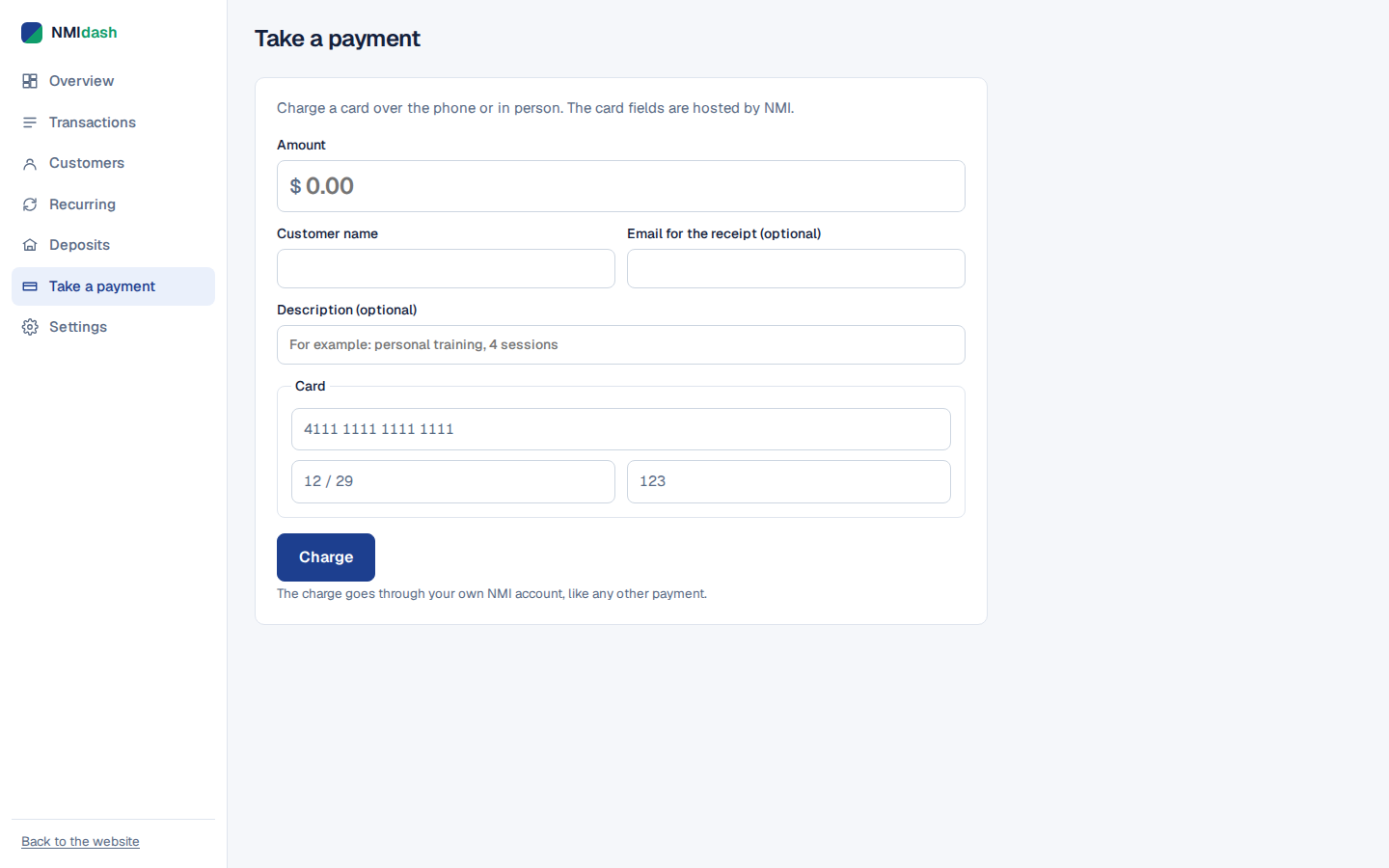
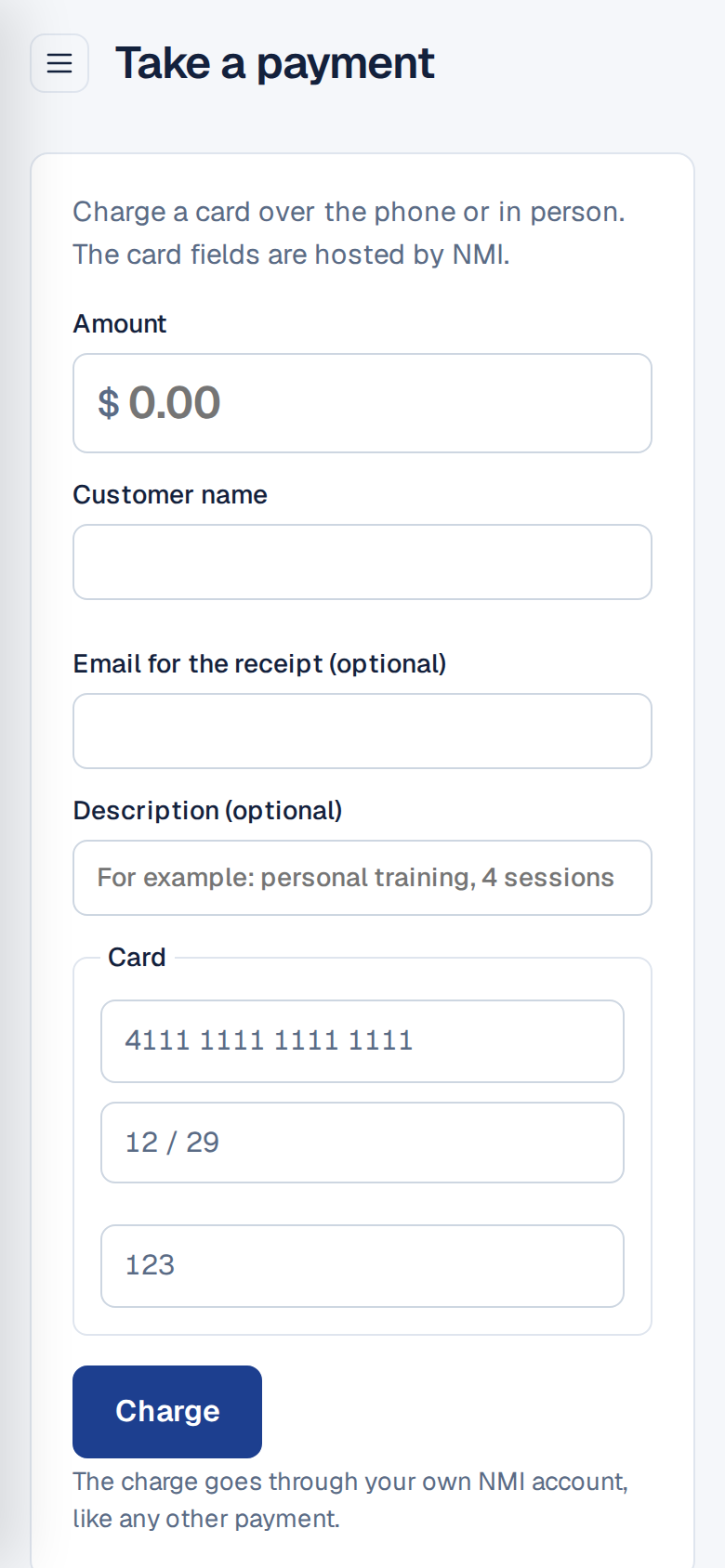
Take a card over the phone
A simple payment screen that works on a laptop, tablet or phone. Card details go into NMI's own secure fields, never through our servers.
- Amount, name, optional receipt email
- Shows up in Transactions straight away
- Uses your own NMI account and rates
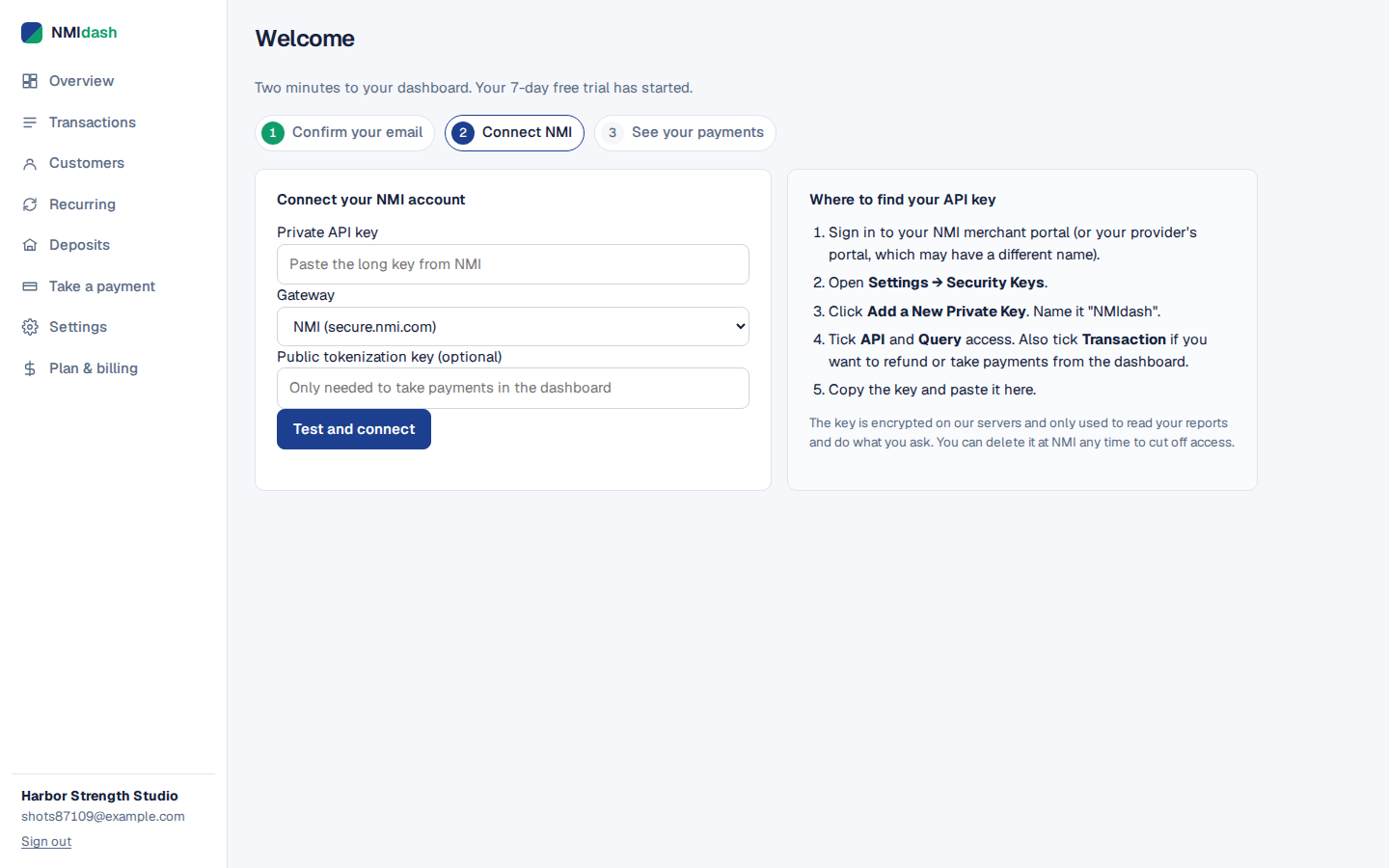
Connected in about two minutes
Sign up, paste your NMI API key and you are done. We test the key on the spot and show you exactly where to find it in your NMI portal.
- Step-by-step help next to the form
- Works with NMI-powered provider portals too
- Nothing to install, nothing to import
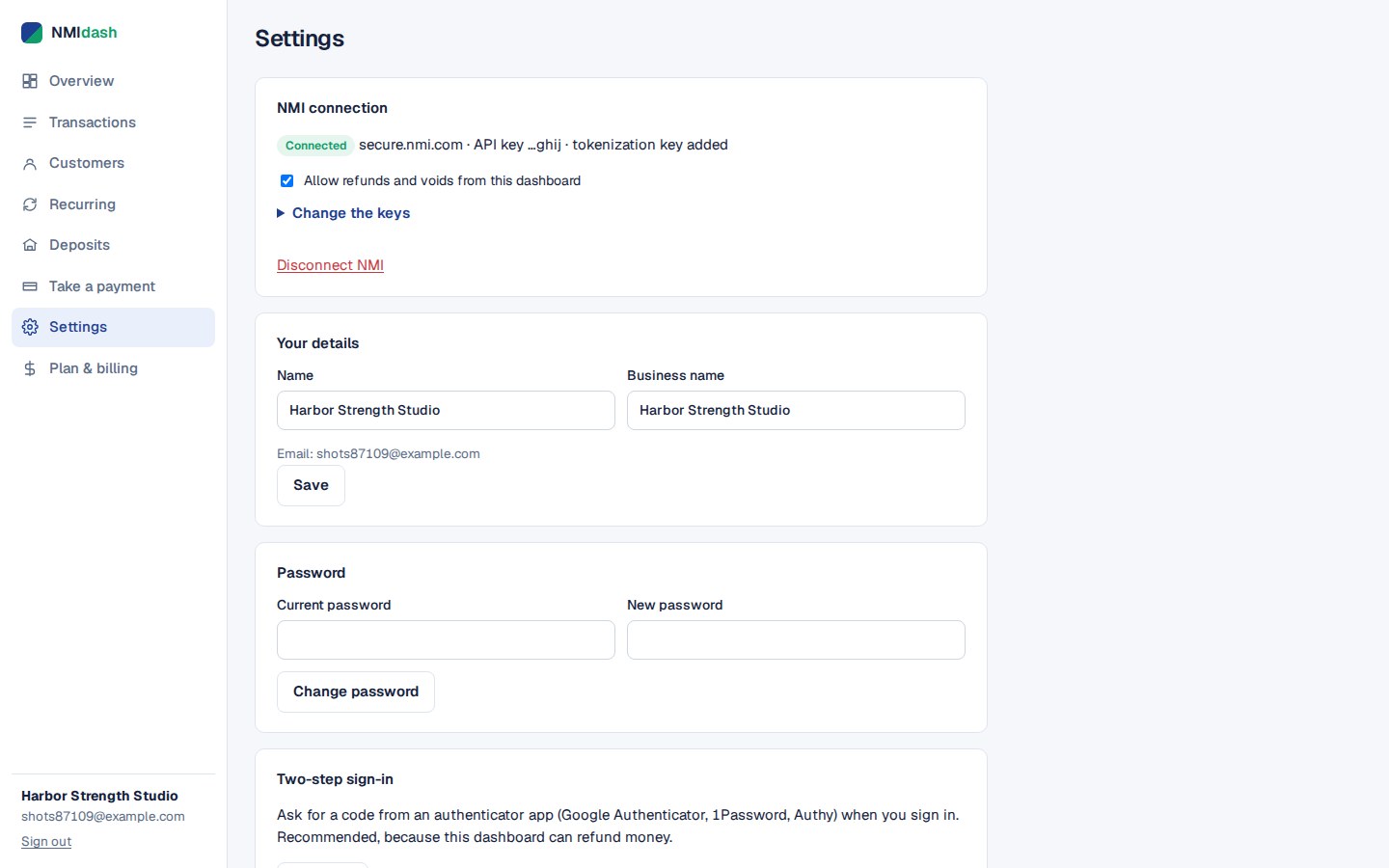
You stay in control
Turn refunds on or off, add two-step sign-in, change your keys or close your account whenever you like.
- Two-step sign-in with any authenticator app
- One switch to turn refunds off
- Every refund recorded in your account history
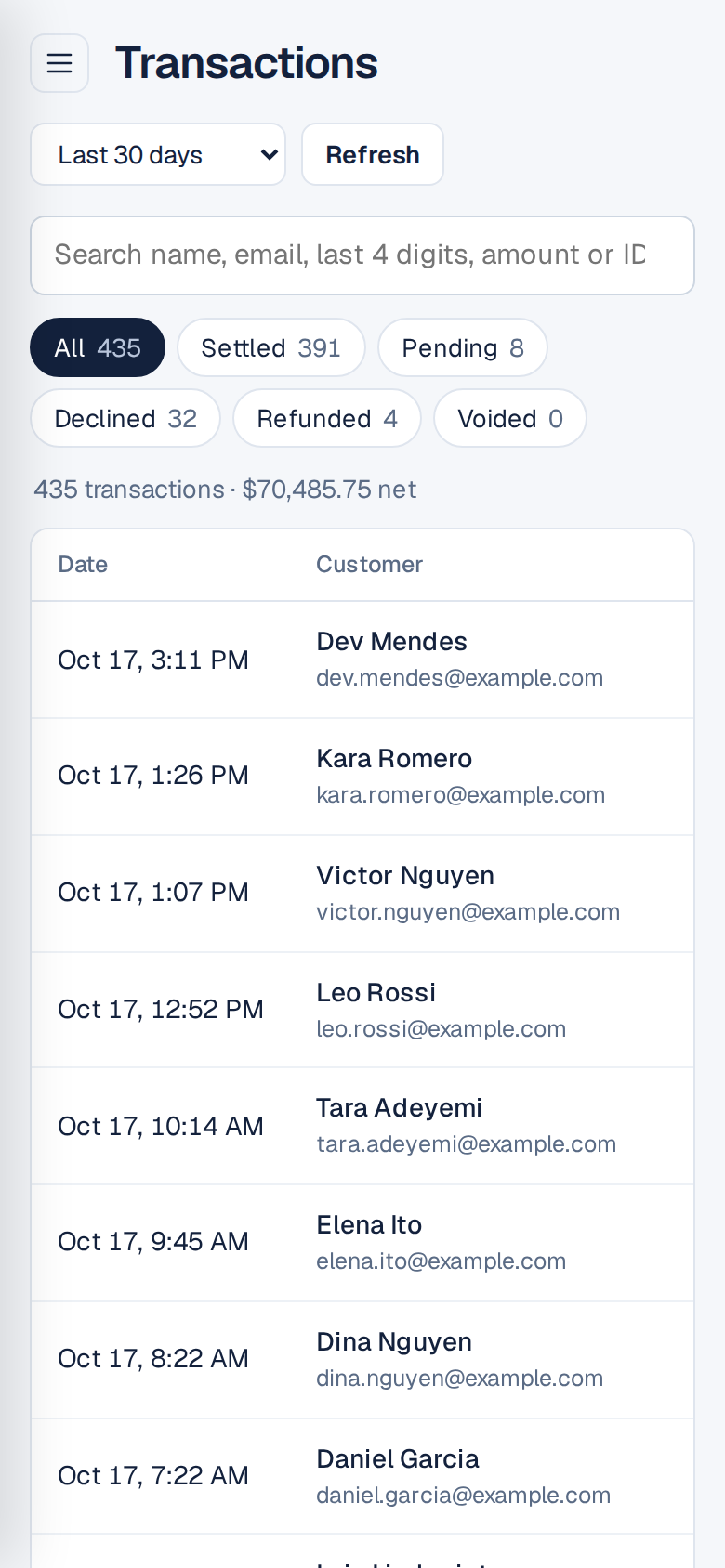
Your sales, in your pocket
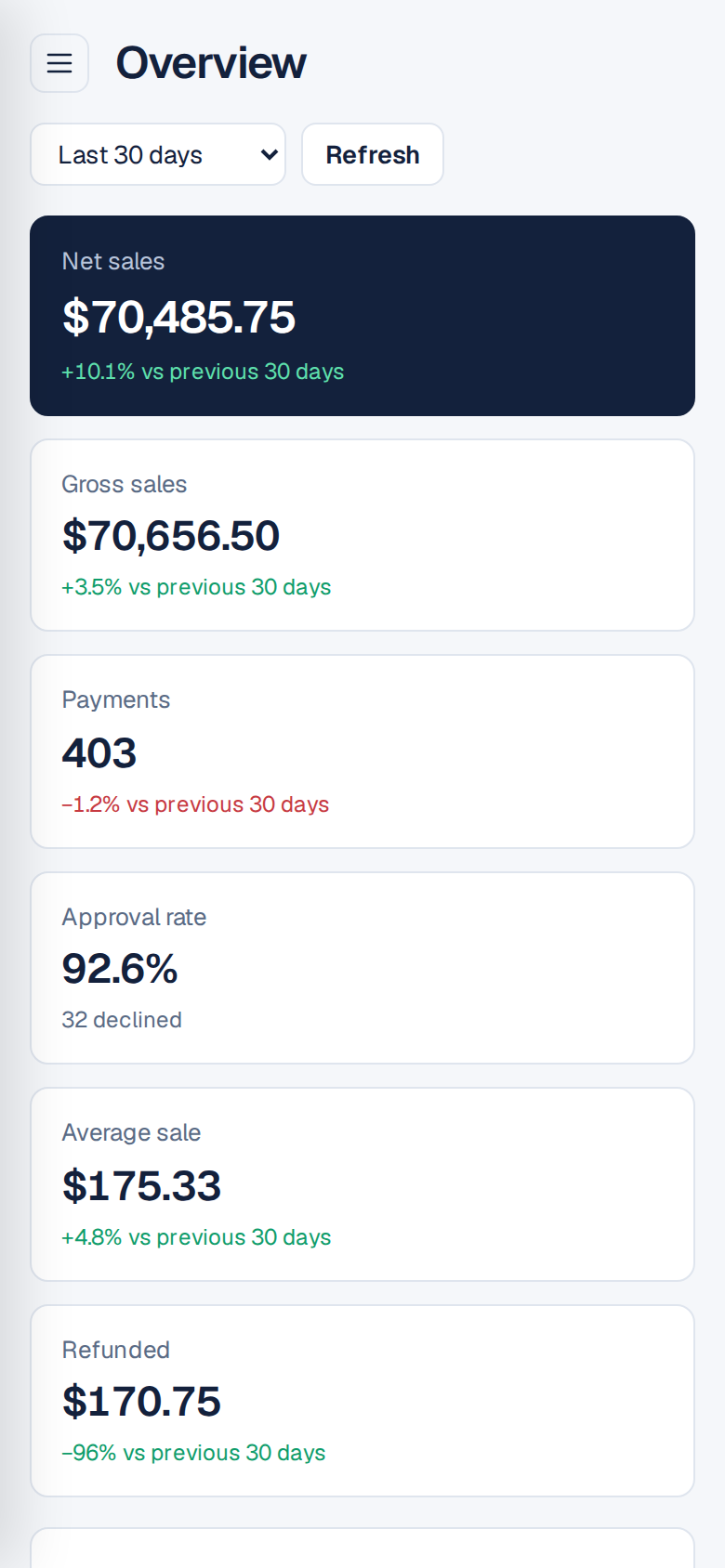
The whole dashboard works on your phone. Check today's takings in line at the coffee shop, refund a customer from the parking lot.
Up and running before your coffee cools
Create your account
Name, email, password. No card, no sales call.
Paste your NMI API key
Make one in your NMI portal under Settings → Security Keys. We walk you through every click and test it instantly.
Enjoy your dashboard
Your payment history appears straight from NMI. Nothing to install or import.
Friendly on the outside, serious on the inside
Built for businesses that take payments seriously.
Your key, locked up
Your NMI key is encrypted on our servers and only used to read your reports and do what you click.
No card numbers
Card details are typed into NMI's own secure fields. They never touch our servers.
Read-only if you like
Give the key report access only, or switch refunds off with one toggle.
Two-step sign-in
Add a code from any authenticator app. Every refund is logged with time and place.
One simple plan
Everything included, unlimited transactions, no setup fees and no contracts. Try it free for 7 days first.
- Overview
- Transactions
- Refunds & voids
- Customers
- Recurring
- Deposits
- Take a payment
- CSV export
- Two-step sign-in
- Email support
$200/month
after your free 7-day trial
- Every screen and feature
- Unlimited history from NMI
- Works on all your devices
- Cancel any time in two clicks
No card needed to start.
Questions
Do I need to change payment processors?
No. You keep your NMI account, your processor and your rates. We read your data from NMI with an API key you create, and show it in a cleaner way.
My provider's portal is not called NMI. Will it work?
Probably. Many payment providers run their gateway on NMI under their own name. If your portal has Settings → Security Keys with an "API" or "Query" permission, it works. Choose "My provider has its own address" when you connect.
Can you move money out of my account?
Only refunds and voids you click yourself, and only if your key allows it. You can make a read-only key, and switch refunds off in Settings.
Do you store card numbers?
No. NMI only ever sends us masked card numbers (the last 4 digits). When you take a payment, the card is typed into fields hosted by NMI.
What happens after the free trial?
You choose whether to subscribe for $200 a month through PayPal. If you subscribe during the trial, your first payment is on the day the trial ends. If you do not, your dashboard pauses and your NMI account is not affected.
Can I cancel?
Yes, from Plan & billing in your dashboard. You keep access until the end of the month you paid for.
Ready to like looking at your payments?
Free for 7 days. No card. Two minutes to set up.